How to search your open tabs in Chrome
Updated 5 November 2026
Once you have more tabs than fit on the tab strip, they shrink to icons and you're left guessing. Chrome has three built-in ways to find a tab by typing. Here they are, fastest first.
1. Tab search: Ctrl+Shift+A
Press Ctrl Shift A on Windows, Linux or ChromeOS, or ⌘ Shift A on a Mac. A panel opens with your open tabs across all windows, plus recently closed ones. Start typing to filter by title or address, use the arrow keys, and press Enter to jump there.
You can also click the small arrow button at the left end of the tab strip to open the same panel.
2. Type @tabs in the address bar
Click the address bar (or press Ctrl L / ⌘ L), type @tabs, press Space or Tab, then type what you're looking for. The suggestions are now limited to open tabs. Handy if your hands are already on the address bar.
3. Just type in the address bar
Even without @tabs, Chrome's address bar suggests matching open tabs with a "Switch to this tab" button. It's mixed in with history and search suggestions, so it's the least precise of the three.
What the built-ins don't do
- They match titles and addresses only, not the text on the page.
- They don't help you flip back to the tab you were just on: that still takes a search.
- There are no actions on the result, like copying its link or moving it to a new window.
A command bar for your tabs
Disclosure: I made Tab Launcher, a free Chrome extension that adds this. It runs on your computer only.
Press Alt K (⌥ K on a Mac) on any page and a search bar opens over it. Your open tabs come first, most recently used at the top, so the tab you want is usually already selected before you type. Enter switches to it instead of opening a duplicate. If nothing matches, Enter searches the web or opens the address you typed.
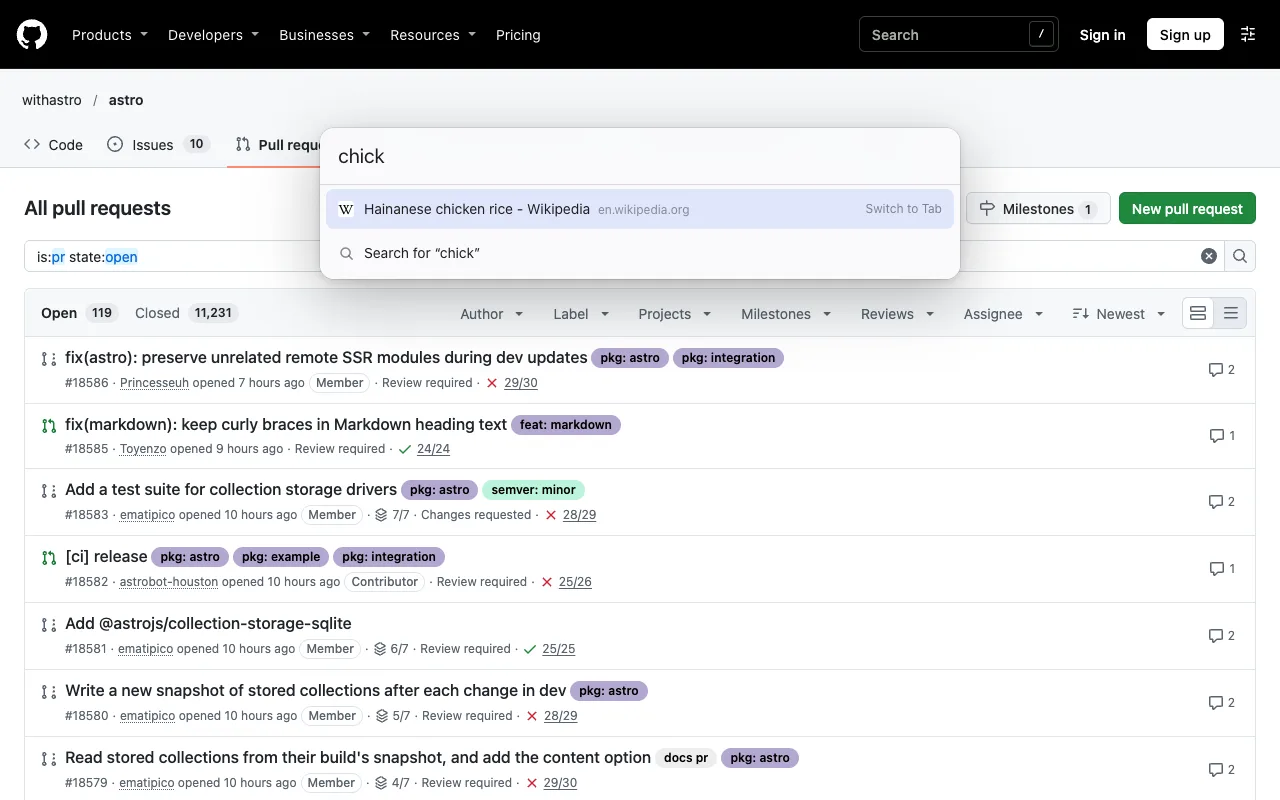
Press Tab on an empty bar for actions (copy URL, copy as Markdown, pin, duplicate, move to a new window, reopen a closed tab), and hold Alt + tap Q to flip back to your last tab. History and bookmark search can be turned on in settings.
FAQ
Ctrl+Shift+A does nothing. Why?
Another app or extension may have taken the shortcut. Check chrome://extensions/shortcuts for clashes, or use the tab search button instead.
Can I search tabs in other windows?
Yes. Chrome's tab search lists tabs from every window, and so does Tab Launcher's command bar (Alt K). Incognito tabs are kept separate from normal ones.
Can I search tabs on Android or iPhone?
Chrome on mobile has a search box in the tab switcher on some versions. Extensions don't run on mobile Chrome.